My financial information was spread across bank transactions, investment records and separate income and expense plans.
Bringing everything into one workflow started as a practical solution to a personal problem. Over time, it became an opportunity to explore data integration, financial modelling and applied AI through a system I use myself.
The walkthrough below follows a monthly review in the working application, using synthetic financial data.
A month with FinCopilot / 01
Where do I stand?
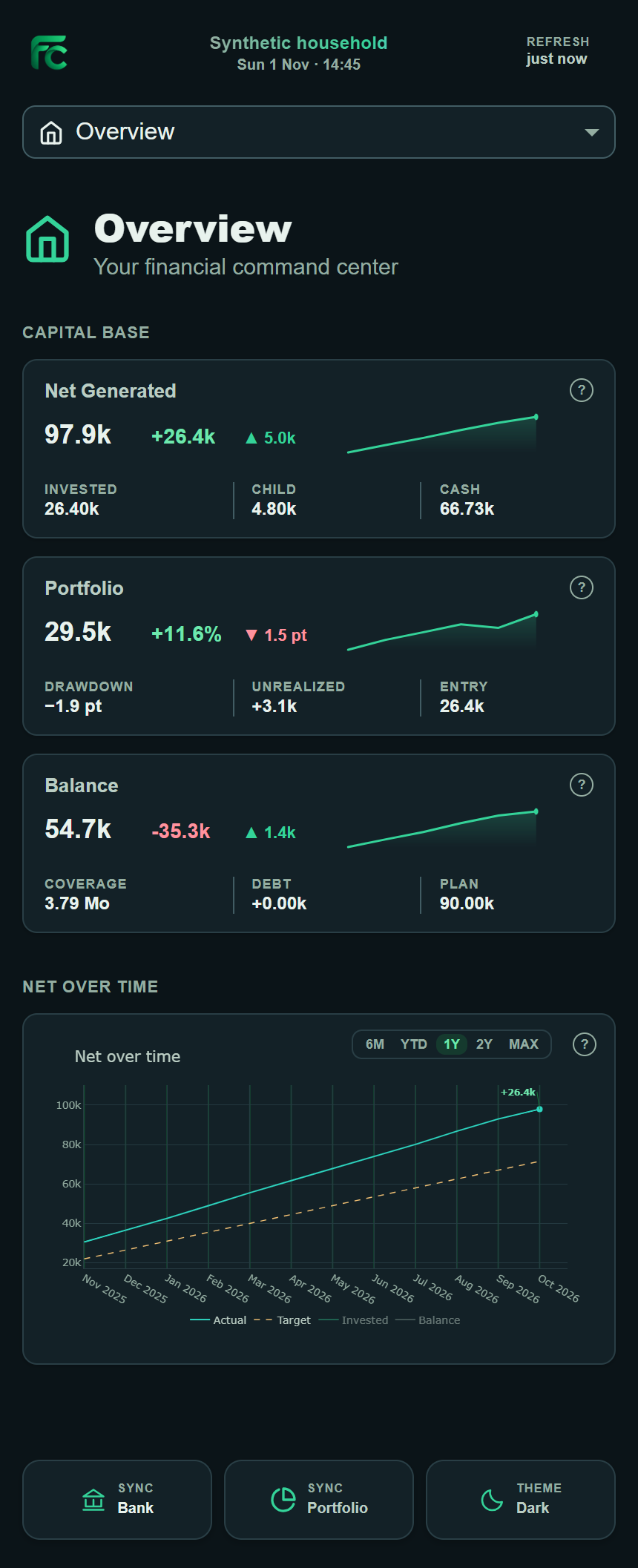
The Overview tab brings financial progress, portfolio value and cash balance together. I designed it as a starting point before looking at individual transactions or holdings.
The trend adds context to those figures: how progress has developed over time and how it compares with the target. It helps me see whether a single month fits the wider pattern before deciding where to look closer.
A month with FinCopilot / 02
What changed?
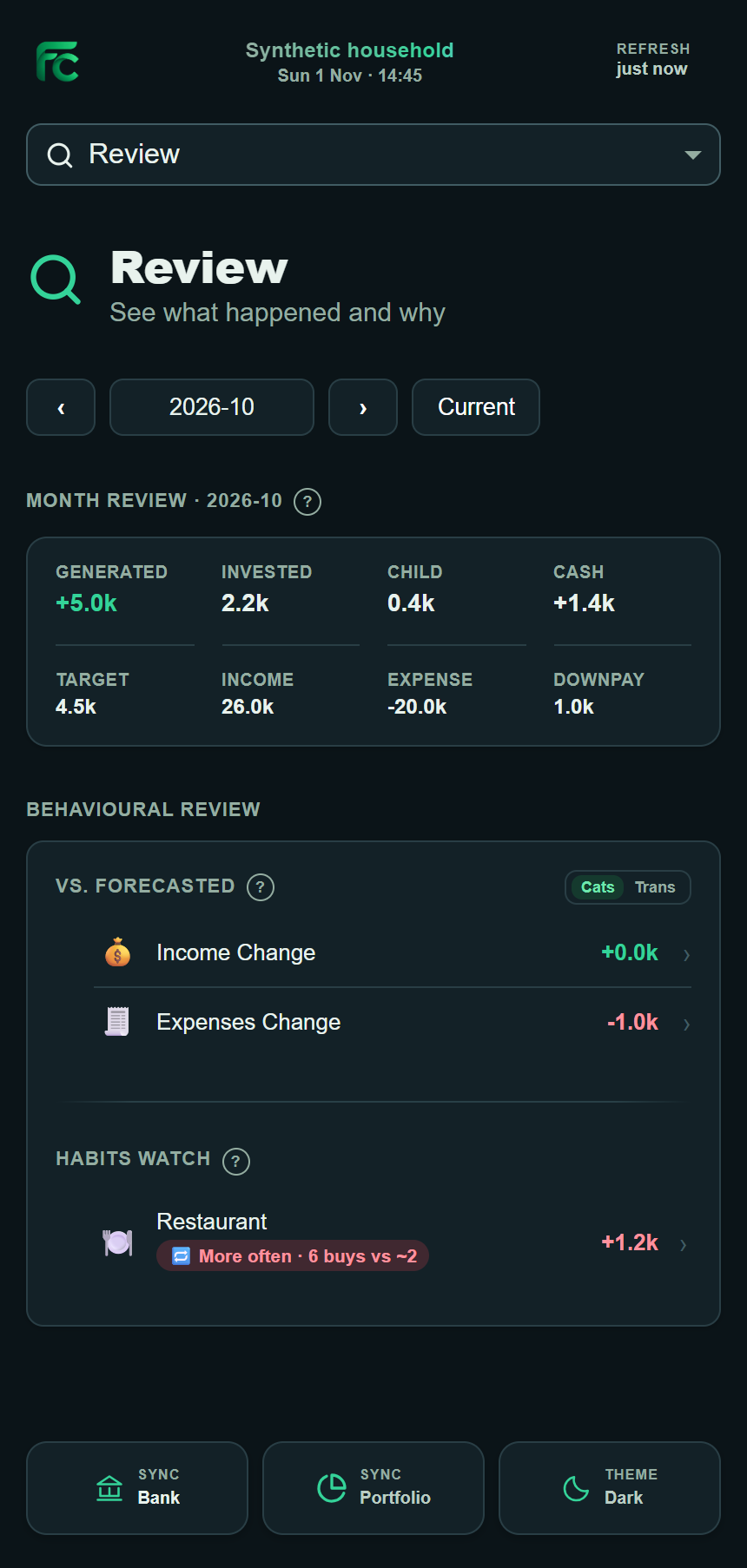
The Review tab compares a completed salary cycle with the configured plan, with categories and transactions underneath.
The October review flags restaurant purchases rising from two to six. Following that change into its transactions shows how a monthly total becomes something I can investigate.
A month with FinCopilot / 03
What is coming up?
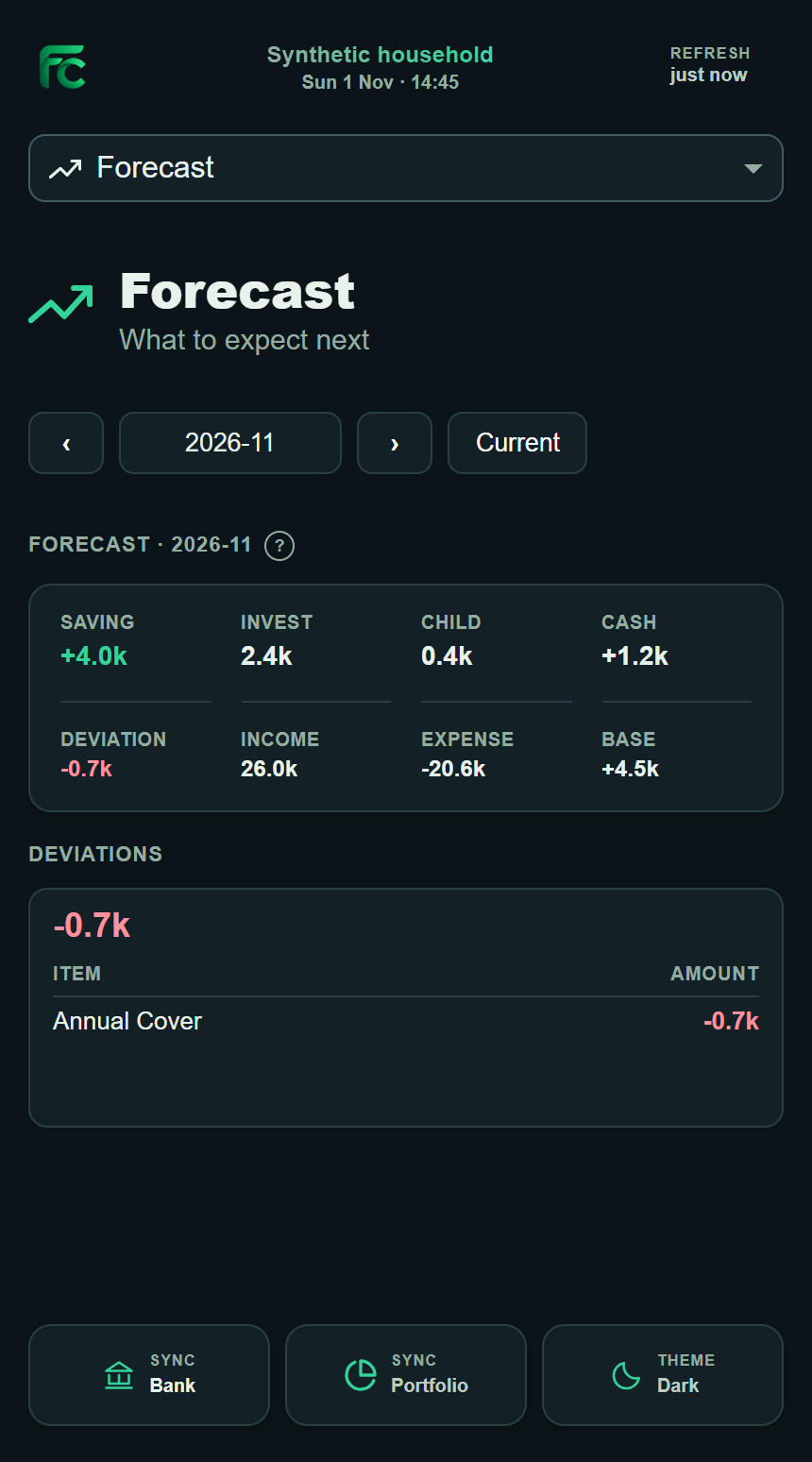
The Forecast tab uses configured income, expense schedules and planned allocations to show what a coming month might leave available.
A scheduled annual expense sits alongside the regular commitments. It gives the forecast a concrete assumption to inspect, rather than treating every month as identical.
A month with FinCopilot / 04
How do my investments fit?
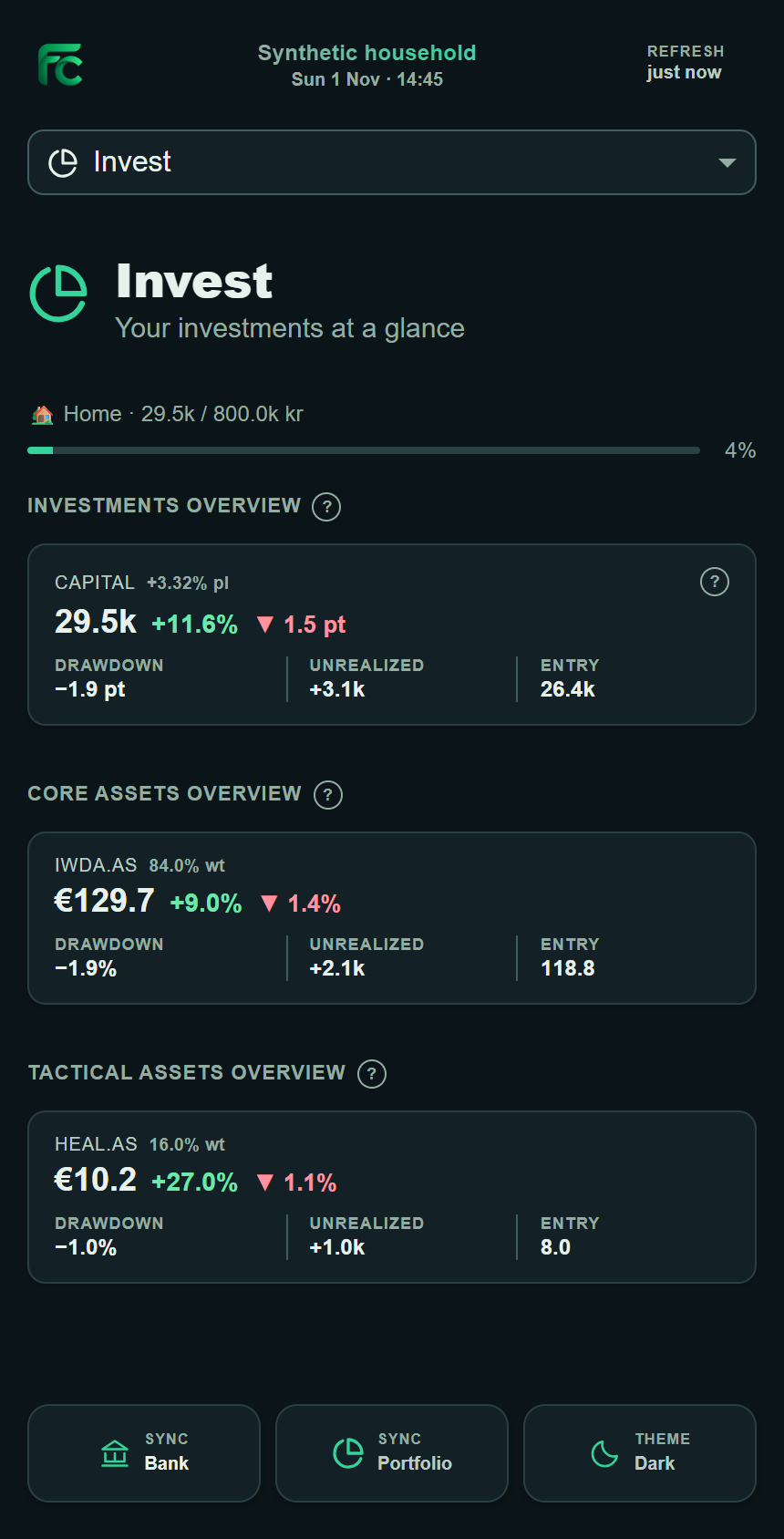
The Invest tab connects holdings, cost basis, returns and a performance benchmark with the wider financial workflow. The portfolio pairs an IWDA.AS (iShares Core MSCI World) core holding with a HEAL.AS (iShares Healthcare Innovation) tactical position.
Portfolio targets also feed the suggested purchases in the Plan tab, covered below, connecting available funds with the allocation rules.
A month with FinCopilot / 05
What am I watching?
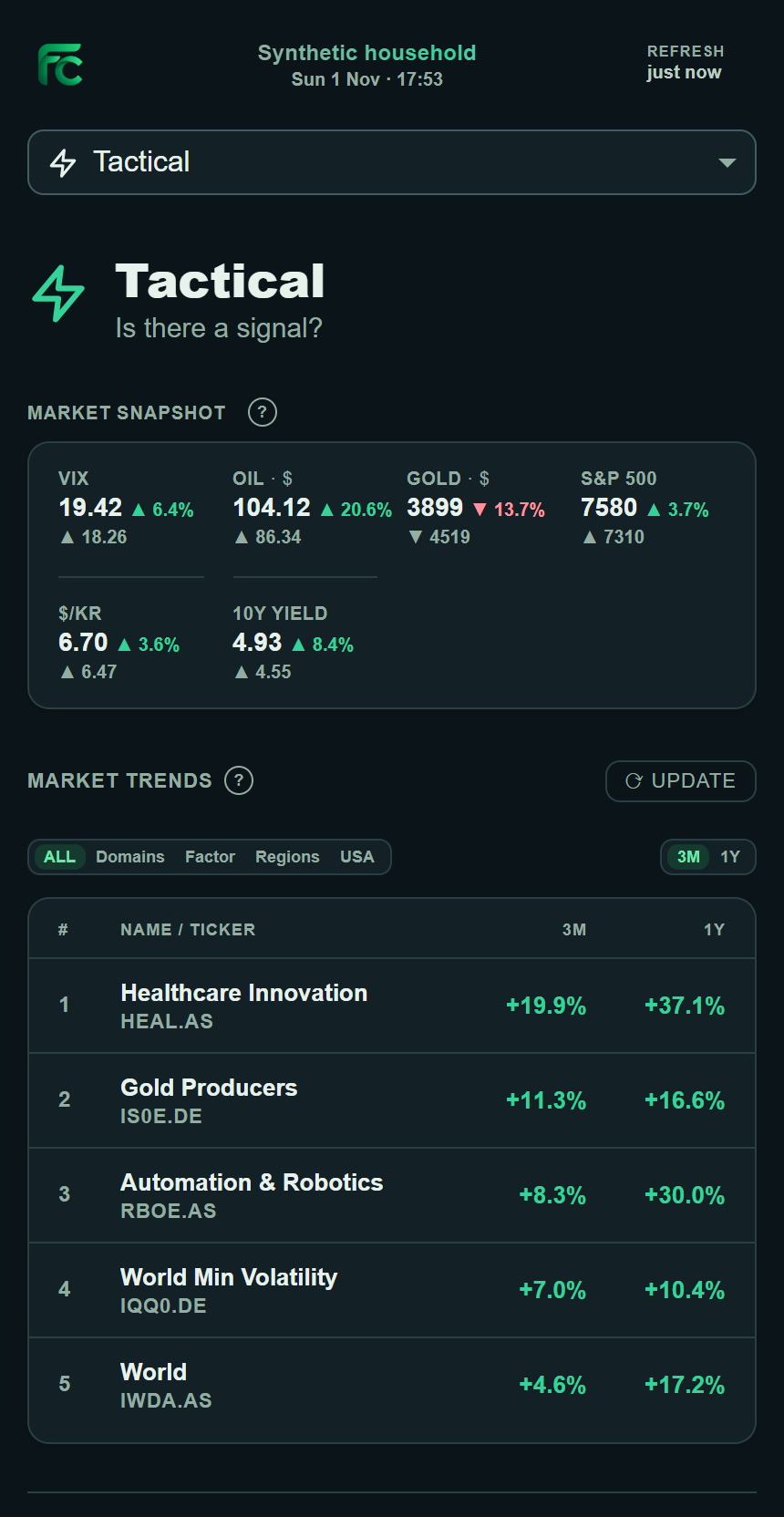
The Tactical tab puts public market conditions beside an investment-level view. It connects market trends, price history and configured entry signals.
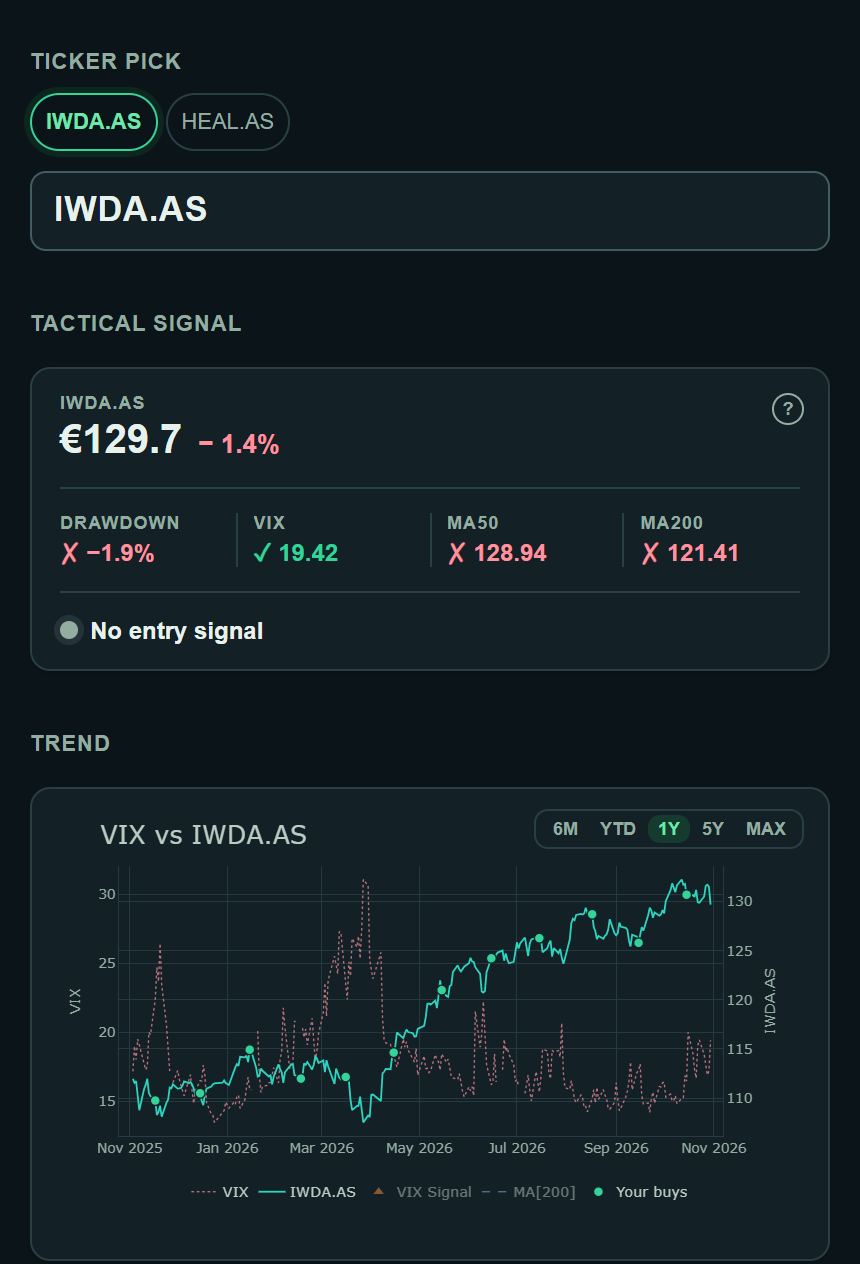
The expandable view follows IWDA.AS, bringing its price history, purchase markers and configured entry signals together.
The app also includes gradual purchase limits and entry and exit alerts. These are tools for review; trades remain manual.

See the investment detail
A month with FinCopilot / 06
What is my next move?
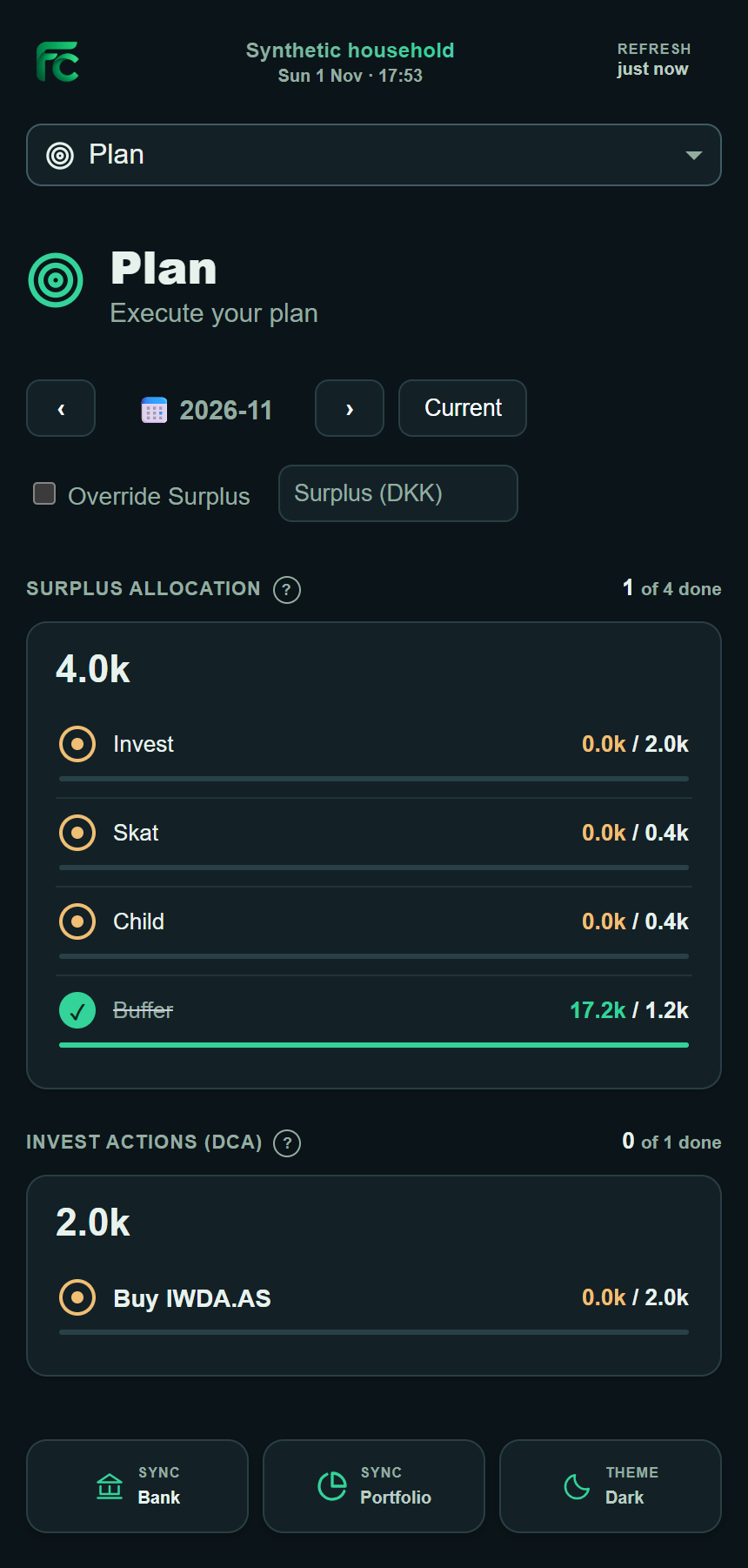
The Plan tab helps me review where the expected surplus should go: investing, tax, savings for kids, a cash buffer and an opportunity reserve.
The priorities, allocation amounts and cash-buffer target are configurable. Planned amounts sit beside recorded progress, so I can see what has been covered and what still needs attention before making transfers or placing trades.
A month with FinCopilot / 07
Talk it through
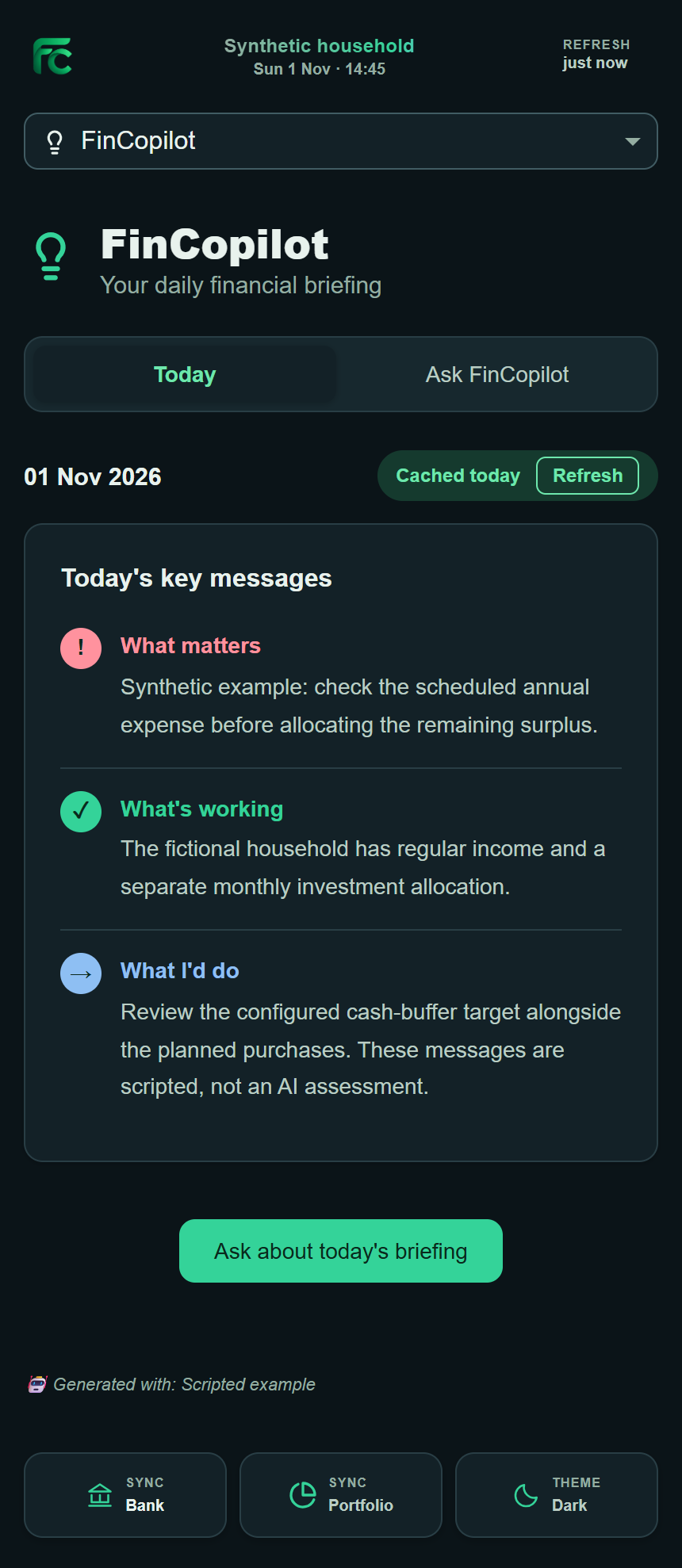
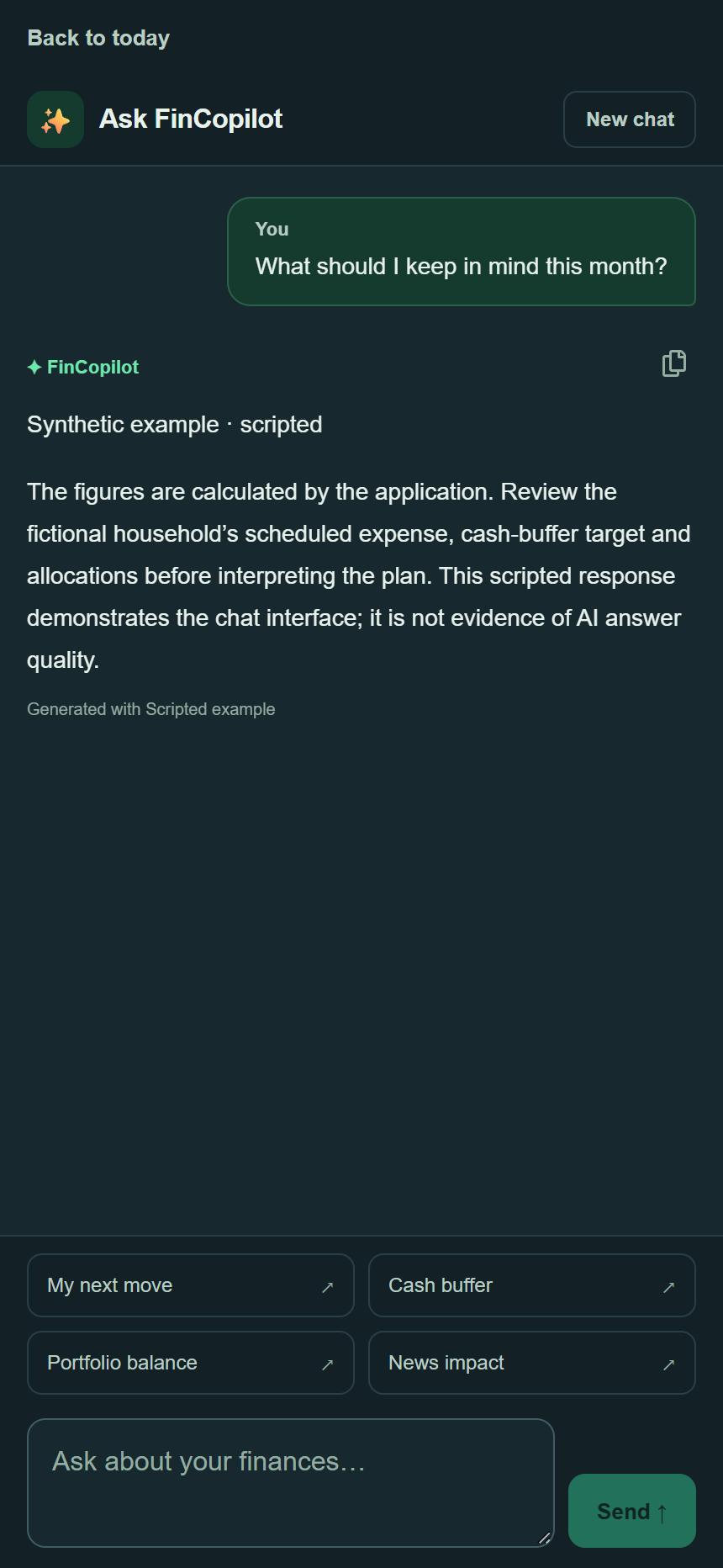
The FinCopilot tab brings together a daily briefing and chat. The briefing draws on financial summaries, holdings and saved news to highlight what may deserve attention.
I can chat with FinCopilot about the cash buffer, portfolio balance or next surplus, then ask follow-up questions to explore the explanation. It gives me another way to understand the figures and decide what to look at more closely.
See the conversation example
Behind the interface
FinCopilot started as a personal analytics project. Building it has become a way to explore the engineering behind connected, AI-assisted applications.
Financial calculations should be reproducible, while AI should help explain and explore their results.
I keep data imports, financial calculations and AI interpretation separate. Transactions become salary-cycle summaries; configured schedules drive forecasts; allocation rules turn the result into a plan. This makes the figures and assumptions easier to inspect when an explanation raises a question.
Gemini and Anthropic support AI interpretation, while Enable Banking connects bank data. The app is built with Python, Dash, Pandas and Plotly, with Nordnet trade imports and yfinance market data.
For me, the interesting challenge is connecting data, logic and AI into a system that remains understandable. It is an opportunity to develop my skills in data engineering, system design and applied AI.
Still building
FinCopilot remains an independent personal project, shaped by financial questions I encounter and engineering ideas I want to explore.
I share selected parts of that journey here: what I have built, the decisions behind it and what I am learning along the way.
FinCopilot is still evolving, just as my skills are. Each new challenge gives me a reason to learn something, apply it and improve what I have already built.
Interested in the project? Get in touch.